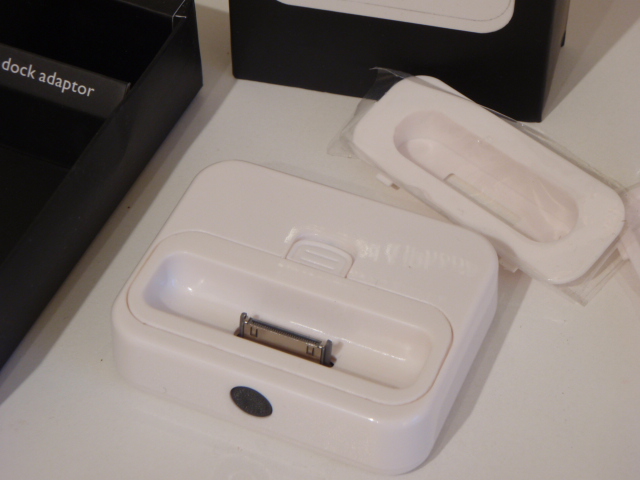
This handy little dock works like the regular iPod dock but has a neat extra function – the remote option. At first I was unsure of how useful this remote option would be. But if you ever plug in your iPod to play through speakers then it works great to switch through tunes.
This dock needs to be charged up to get the line-out working, not too thrilled about that, but the remote works with almost any universal remote and not just the apple remote. I found that very bizarre but also very cool.
The dock also comes with 4 adapters to fit the size of your iPod or iPhone perfectly, but lacks in the iPod nano adapter department.
I think overall this dock works great for a replacement dock for the iPod, but works best when hooked up to your computer. For less than half the price of the original, it’s still a super deal.
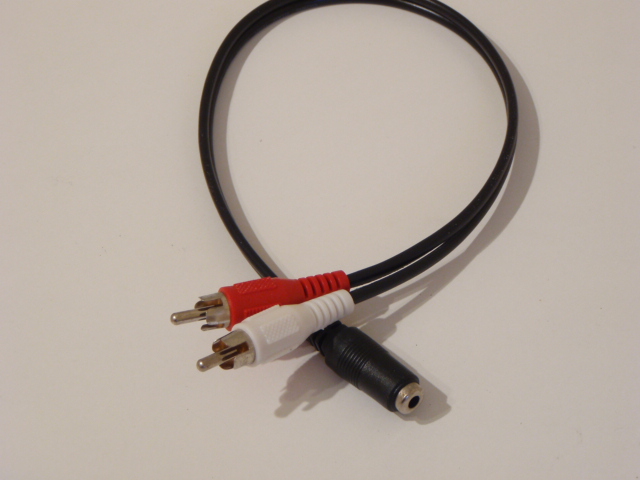
The best and easiest way to use your surround sound computer speakers with your TV is by getting this 3.5mm Audio Jack to RCA Audio Converter. Most computer speakers have a “Line Out” so this works perfectly for stereo speakers.
What to do if you have surround sound speakers?
What to do if you want an iPod hooked up to it as well?
It may seem a little complicated but its actually very easy and the following could save you up to hundreds of dollars and totally give you a great reason on why NOT to buy an iPod speaker dock. Here’s what you’ll need:
And that’s it! If you have an iPod dock with a remote, you will easily be able to control your music independently from your television.
Follow these steps to use the same speakers without needing your TV or DVD player to be turned on.
Step 1: Plug your computer speakers line outs into each one of the Composite AV Cable 1-to-2 Female-Female Splitter Couplers.
Step 2: Plug the line-in of the 3.5mm Audio Jack (male) to RCA Audio Converter (30cm) into your iPod
Step 3: Plug one end of your 3.5mm Audio Jack (male) into each separate coupler.
Step 4: Grab your Televisions audio cables and plug them into each separate coupler.
How and why does this work?
You are independantly sending information through the couplers into both the front and back speakers.
The audio out from your television or DVD player is independantly sending audio to both the front and back speakers.
Simply put, you are dividing the ways to send information into your computer speakers.
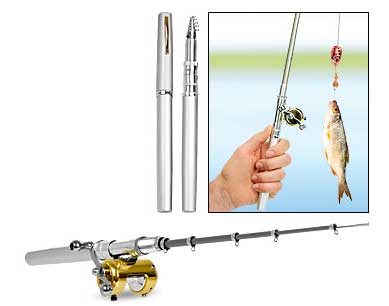
I remember once being out at sea writing about my adventures. We were starving and I thought to myself “If only I had a fishing rod, I could save everyone aboard this vessel.” But alas, I only had a pen.
If only I had this pen instead. Its a fishing rod that expands to 4 feet and has a mini reel and switchable rachet. If only, maybe the others might still be alive today. Tragic.
Oh well. I’m still here. And lucky enough to be alive to see this way cool fishing rod/pen!
This cigarette shaped butane lighter is probably one of the coolest lighters around. We can’t endorse smoking but seriously, is there anything cooler than someone lighting a cigarette with a cigarette?
We didn’t think so.
The second you flip the top of the lighter, the butane gas starts flowing out, so the longer you wait – the bigger the flame.
Now, what to do about all those people that accidentally put one of these in their mouths? We may have just found an alternative way to quit smoking. Exploding heads anyone?





 to RCA Audio Converter (30cm) on https://www.onemoregadget.com)


Recent Comments